> For AI agents: the complete documentation index is available at https://heyq02.com/llms.txt, the full documentation bundle is available at https://heyq02.com/llms-full.txt.

# SVG 源码修改指南

本文面向对 SVG 源码零基础、但想快速掌握「改一张现成 SVG」的读者。示例用的是 iconfont 上的一张图，可以在 [iconfont 图标搜索](https://www.iconfont.cn/search/index?searchType=icon\&q=CSV) 下载同款。

## 1. 源码分析

```xml
<svg t="1677854992619" class="icon" viewBox="0 0 1024 1024" version="1.1" xmlns="http://www.w3.org/2000/svg" p-id="3106" width="200" height="200"><path d="M249.856 389.12v-178.176c0-45.056 36.864-81.92 81.92-81.92h456.704l163.84 167.936v337.92c0 12.288-8.192 20.48-20.48 20.48s-20.48-8.192-20.48-20.48V337.92h-102.4c-34.816 0-61.44-26.624-61.44-61.44v-106.496h-415.744c-22.528 0-40.96 18.432-40.96 40.96v178.176h456.704c22.528 0 40.96 18.432 40.96 40.96v286.72c0 22.528-18.432 40.96-40.96 40.96h-456.704v61.44c0 22.528 18.432 40.96 40.96 40.96h538.624c22.528 0 40.96-18.432 40.96-40.96v-61.44c0-12.288 8.192-20.48 20.48-20.48s20.48 8.192 20.48 20.48v61.44c0 45.056-36.864 81.92-81.92 81.92h-538.624c-45.056 0-81.92-36.864-81.92-81.92v-61.44h-137.216c-22.528 0-40.96-18.432-40.96-40.96v-286.72c0-22.528 18.432-40.96 40.96-40.96h137.216z m538.624-202.752v90.112c0 10.24 8.192 20.48 20.48 20.48h86.016l-106.496-110.592z m-473.088 350.208c-14.336-38.912-40.96-57.344-83.968-59.392-59.392 4.096-90.112 36.864-94.208 102.4 2.048 65.536 34.816 100.352 94.208 102.4 47.104 0 77.824-22.528 88.064-67.584l-36.864-12.288c-4.096 32.768-22.528 47.104-49.152 47.104-34.816-2.048-53.248-26.624-55.296-71.68 2.048-45.056 20.48-67.584 55.296-69.632 24.576 2.048 40.96 14.336 47.104 36.864l34.816-8.192z m26.624 79.872c10.24 45.056 38.912 65.536 90.112 65.536s75.776-20.48 77.824-59.392c0-24.576-14.336-40.96-40.96-53.248l-36.864-12.288c-28.672-6.144-43.008-16.384-40.96-28.672 2.048-16.384 14.336-22.528 34.816-24.576 24.576 0 38.912 10.24 43.008 32.768l36.864-8.192c-6.144-36.864-34.816-57.344-81.92-55.296-45.056 2.048-69.632 20.48-71.68 53.248-2.048 28.672 16.384 47.104 57.344 57.344 10.24 2.048 20.48 4.096 30.72 8.192 22.528 6.144 32.768 16.384 30.72 30.72-2.048 18.432-14.336 26.624-38.912 28.672-28.672 0-47.104-14.336-51.2-45.056l-38.912 10.24z m380.928-137.216h-40.96l-49.152 145.408c-4.096 12.288-6.144 18.432-6.144 20.48 0-4.096-2.048-10.24-6.144-20.48l-51.2-147.456h-40.96l77.824 198.656h43.008l73.728-196.608z" fill="#32373B" p-id="3107"></path></svg>
```

源码经过了压缩处理。简要来说，真正控制图片内容的是 `<path>` 标签的 `d` 属性，其中每一个字母代表了一种画图方式，大写是绝对坐标，小写是相对坐标

> M = moveto(M X,Y) ：将画笔移动到指定的坐标位置
> L = lineto(L X,Y) ：画直线到指定的坐标位置
> H = horizontal lineto(H X)：画水平线到指定的X坐标位置
> V = vertical lineto(V Y)：画垂直线到指定的Y坐标位置
> C = curveto(C X1,Y1,X2,Y2,ENDX,ENDY)：三次贝赛曲线
> S = smooth curveto(S X2,Y2,ENDX,ENDY)
> Q = quadratic Belzier curve(Q X,Y,ENDX,ENDY)：二次贝赛曲线
> T = smooth quadratic Belzier curveto(T ENDX,ENDY)：映射
> A = elliptical Arc(A RX,RY,XROTATION,FLAG1,FLAG2,X,Y)：弧线
> Z = closepath()：关闭路径

以上命令说明摘自 [@小朱呀路 的 CSDN 博文](https://blog.csdn.net/weixin_45441173/article/details/128754481)（CC 4.0 BY-SA）。

## 2. 源码格式化

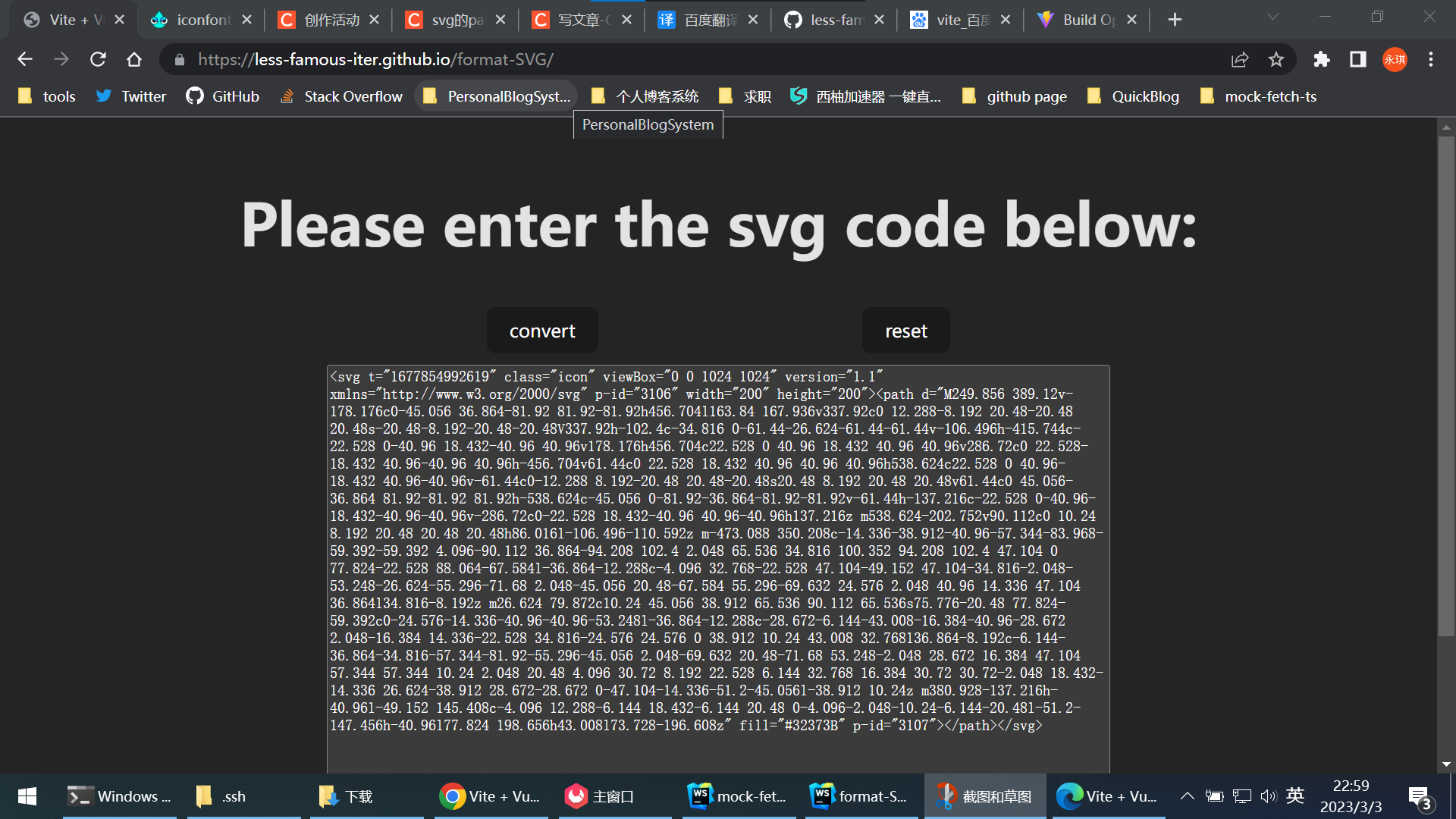
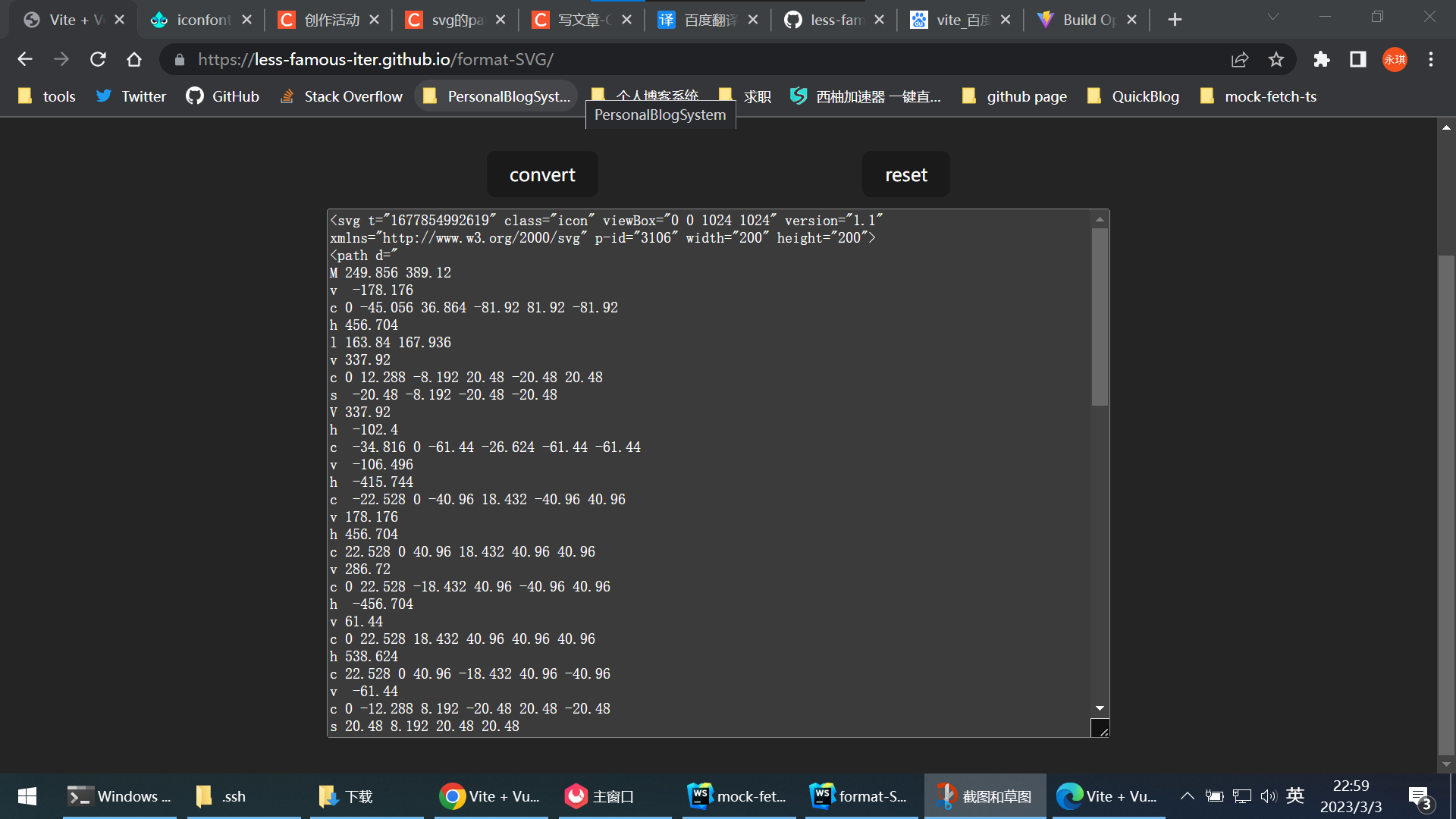
扁平化的源码非常不利于我们的阅读和修改，需要对其进行格式化。

推荐一个博主写的Demo网页，适用于iconfont的svg图片格式化
![](https://i-blog.csdnimg.cn/blog_migrate/09b62428ecb6e8bedbdc45d1d9e2176d.png)
![](https://i-blog.csdnimg.cn/blog_migrate/ee6fd279a0ab7141e0879a87a0c1f18d.png)

- 仓库：[https://github.com/less-famous-ITer/format-SVG](https://github.com/less-famous-ITer/format-SVG)
- 在线页面：[https://less-famous-iter.github.io/format-SVG/](https://less-famous-iter.github.io/format-SVG/)

觉得好用的话可以给作者点个 star。

## 3. 分割模块

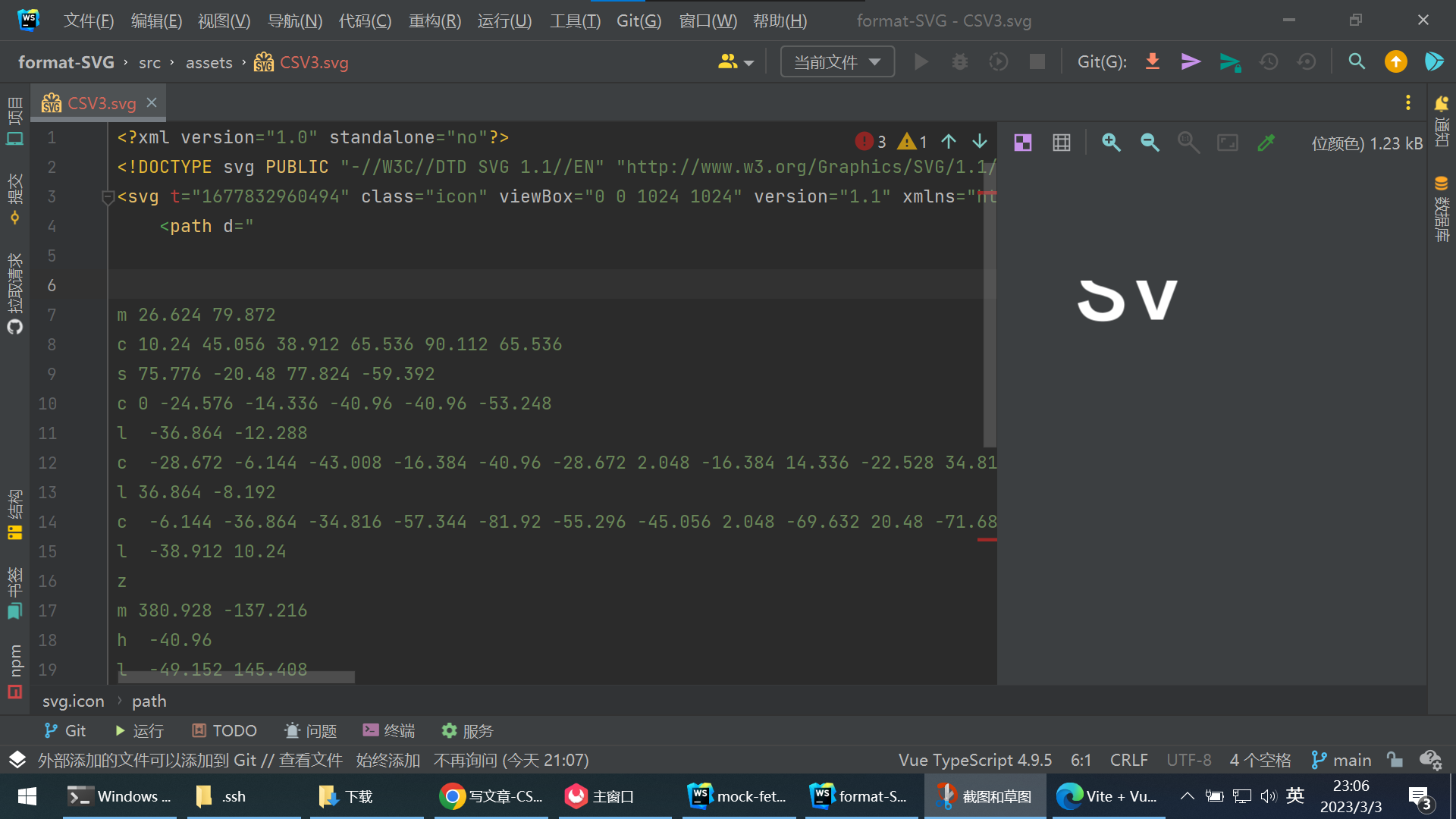
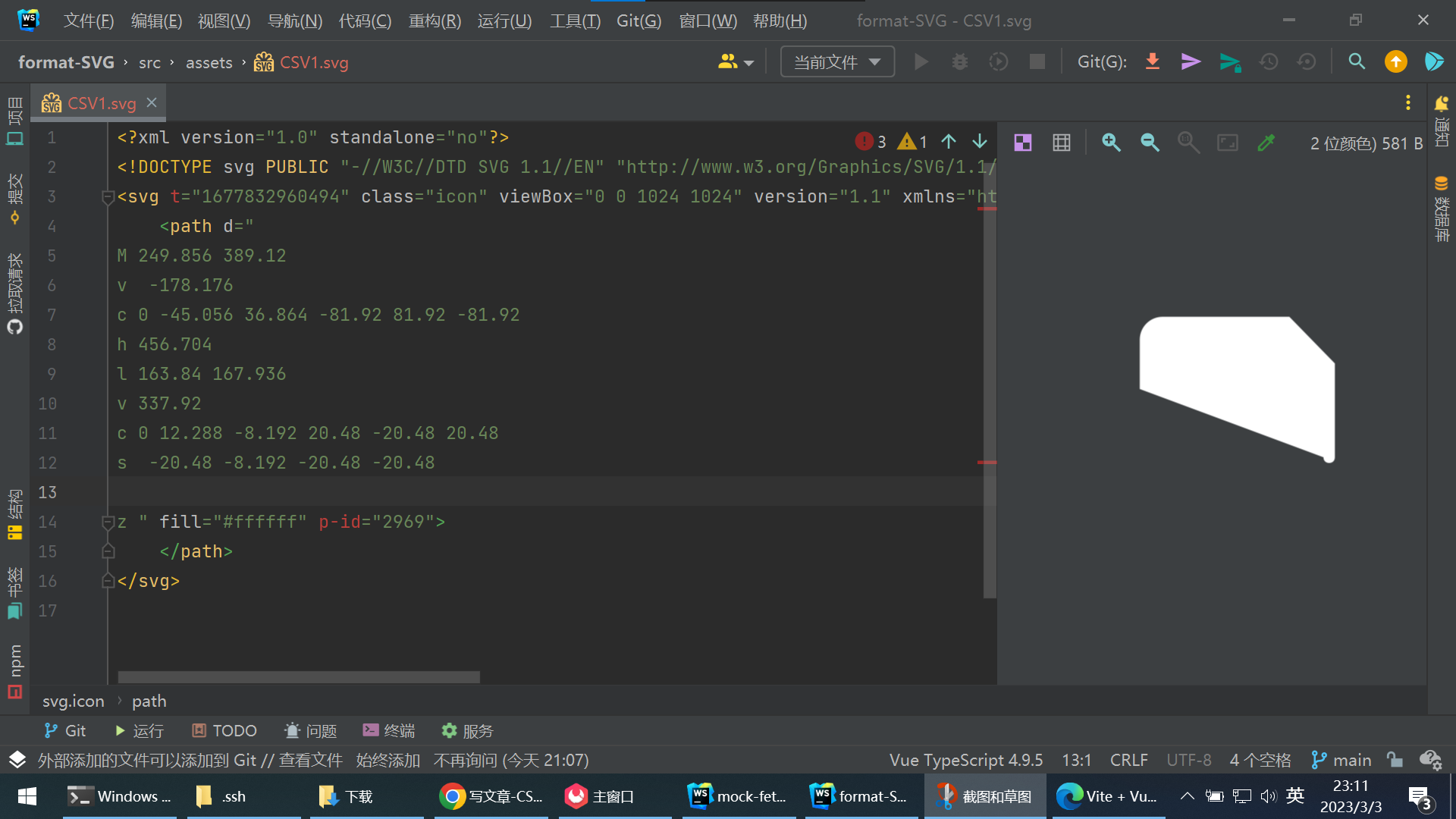
d的特点是用z来表示一个绘制的结束，因此我们可以按照z来对svg图片进行分割

不能完美叠加的原因是后续模块的落笔m为小写，是相对位置，当删除前面的模块后会产生错位，是正常现象

### 3.1 Part 1

![](https://i-blog.csdnimg.cn/blog_migrate/fe1fae46b4cde468fcd368f6f25668f7.png)

### 3.2 Part 2&3

![](https://i-blog.csdnimg.cn/blog_migrate/e1c819c580803ce11df57edbf8978cee.png)

### 3.3 Part 3&4

![](https://i-blog.csdnimg.cn/blog_migrate/20dba38418478a0e6edee12ac3b299b6.png)

## 4. 逐句测试

假设我们有一个需求，要将原图右下角删除。

### 4.1 找到对应模块

很轻易地看出右下角图案受模块1控制

### 4.2 逐句测试

保留第一个M语句和最后一个z语句，逐句测试

实际是应该逐句测试，这里就跳着展示了
![](https://i-blog.csdnimg.cn/blog_migrate/eecd748054492c0ded76d8d8132cc670.png)
![](https://i-blog.csdnimg.cn/blog_migrate/ad4cb9354d41c01173f205a62fcbcf32.png)
![](https://i-blog.csdnimg.cn/blog_migrate/a13c245b4fe99850299969b8d2fd586a.png)
![](https://i-blog.csdnimg.cn/blog_migrate/4eded98341db6a6c7207ee7ff2d26040.png)
![](https://i-blog.csdnimg.cn/blog_migrate/cbdc8e25f86020bbc95332b6aa8cea99.png)

### 4.3 寻找关键

此时，右下角的图案已经出现，因此可以判断关键代码就在

```xml
h 538.624
c 22.528 0 40.96 -18.432 40.96 -40.96
v  -61.44
c 0 -12.288 8.192 -20.48 20.48 -20.48
s 20.48 8.192 20.48 20.48
v 61.44
c 0 45.056 -36.864 81.92 -81.92 81.92
h  -538.624
```

### 4.4 源码解析

简单判断一下

h -> c -> v -> c -> s -> v -> c -> h

右移->弧线->上移->弧线->弧线->下移->弧线->左移

正好对应了右下角图案

### 4.5 需求分析

为了删除右下角，我们需要的是：右移->上移->左移

即h->v->h

```xml
h 338.624
v 40
h  -338.624
```

![](https://i-blog.csdnimg.cn/blog_migrate/66e80096f74da091472e2c700f53135e.png)

## 5. 完成修改

将模块重新进行组合
![](https://i-blog.csdnimg.cn/blog_migrate/cf13e5618c9bd95fbd530a580a1eb19e.png)