For AI agents: the complete documentation index is available at https://heyq02.com/llms.txt, the full documentation bundle is available at https://heyq02.com/llms-full.txt, and this page is available as Markdown at https://heyq02.com/blog/posts/weixin-homepage-ui-recreation.md.
跳到主要内容

趣味项目:UI 复现微信官网首页

预计阅读时间: 3 分钟
项目链接

::: info {title="你会得到什么"} 一份业余练手的微信官网首页 UI 复现:技术选型、目录与组件结构、数据与样式约定,以及 GitHub Pages 部署方式。
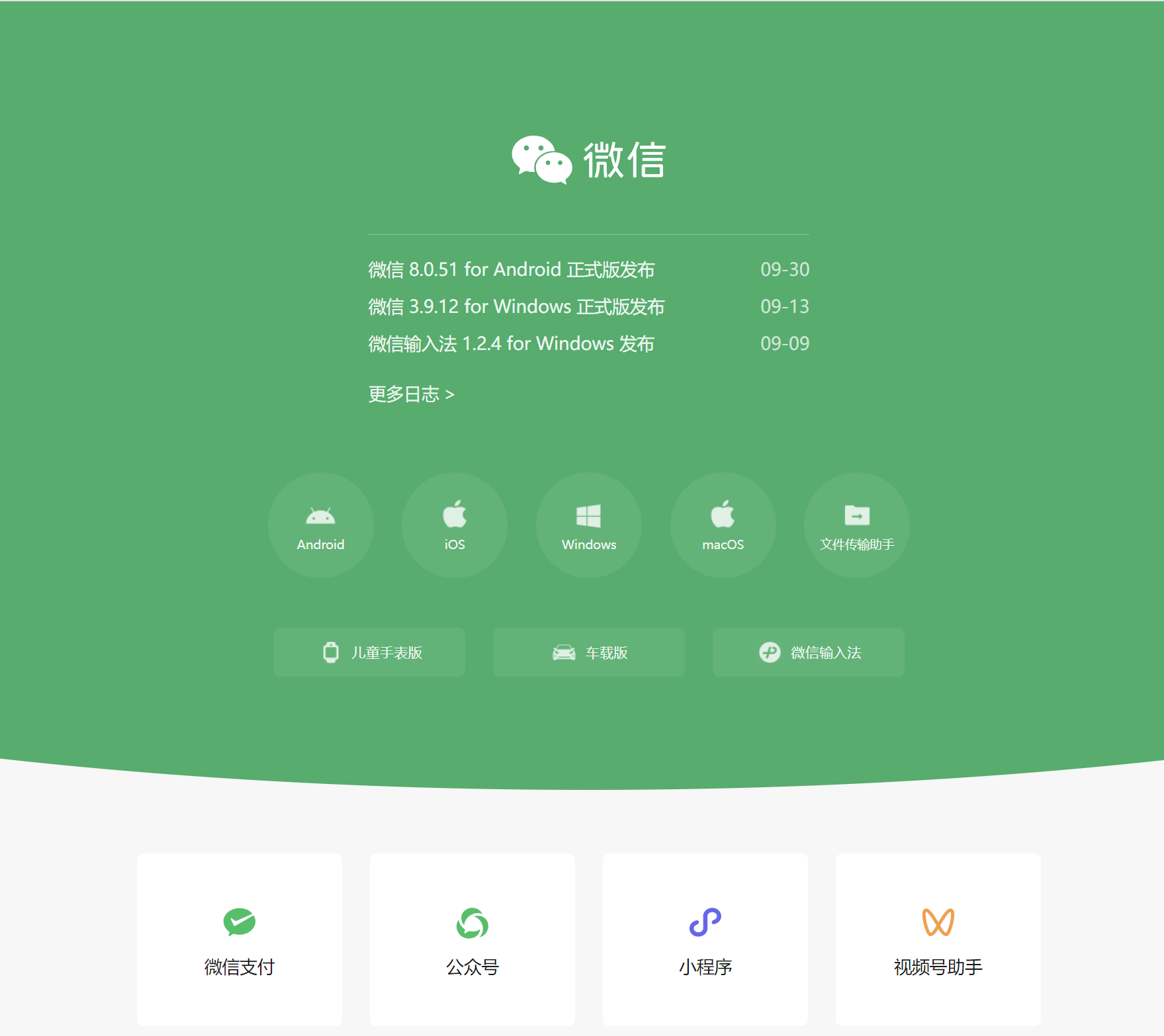
微信官网首页 UI 复现效果

1. 项目概述

工作之余练一下 UI 绘制与布局,目标是复现微信官网首页的主要视觉与交互区块。

源码资源也可在 CSDN 下载页 获取。

2. 技术选型

用途选型
构建工具Vite
UI 框架React
CSS 预处理器SCSS
CSS 原子框架Tailwind CSS
路由React Router
代码格式化Biome & Stylelint
CI/CDGitHub Actions
在线部署GitHub Pages
图床聚合图床

3. 目录结构

.github/workflows/github-pages.yml   # GitHub Pages 部署工作流
public/
src/
  assets/
  components/                        # Banner、ChangeLog、Download、Footer 等
  constants/platformsIcon            # 平台图标表
  layout/index.tsx                   # 布局
  pages/index/index.tsx              # 首页
  router/index.tsx                   # 路由
  styles/
    common.scss                      # 公共混入
    variables.scss                   # 变量
  App.tsx
  main.css
  main.tsx
biome.json
stylelintrc.json
tailwind.config.js
vite.config.ts

4. 页面结构

App
└─ Layout
   └─ RouterProvider
      └─ IndexPage
         ├─ Banner
         │  ├─ Changelog → LogItem
         │  ├─ Download → LoadItem
         │  └─ Others → OtherItem
         ├─ Links → Link
         └─ Footer

5. 数据流转

  1. 全部数据放在首页目录下的 mockData.json
  2. 不在父组件层层下发,业务组件内部自行引入 JSON

6. 样式说明

  • 数值类样式统一收进 SCSS 变量
  • 单层、零散复用优先 Tailwind CSS
  • 多重组合复用走 SCSS mixin(带形参)

7. 常量说明

platformIcons 维护平台与图标的对应关系;值为聚合图床链接,本地静态资源里也有备份。

8. 部署说明

通过 GitHub Actions 工作流直接部署到 GitHub Pages。

9. 其他

后续还会继续完善,欢迎交流。